Your rules, your round counts
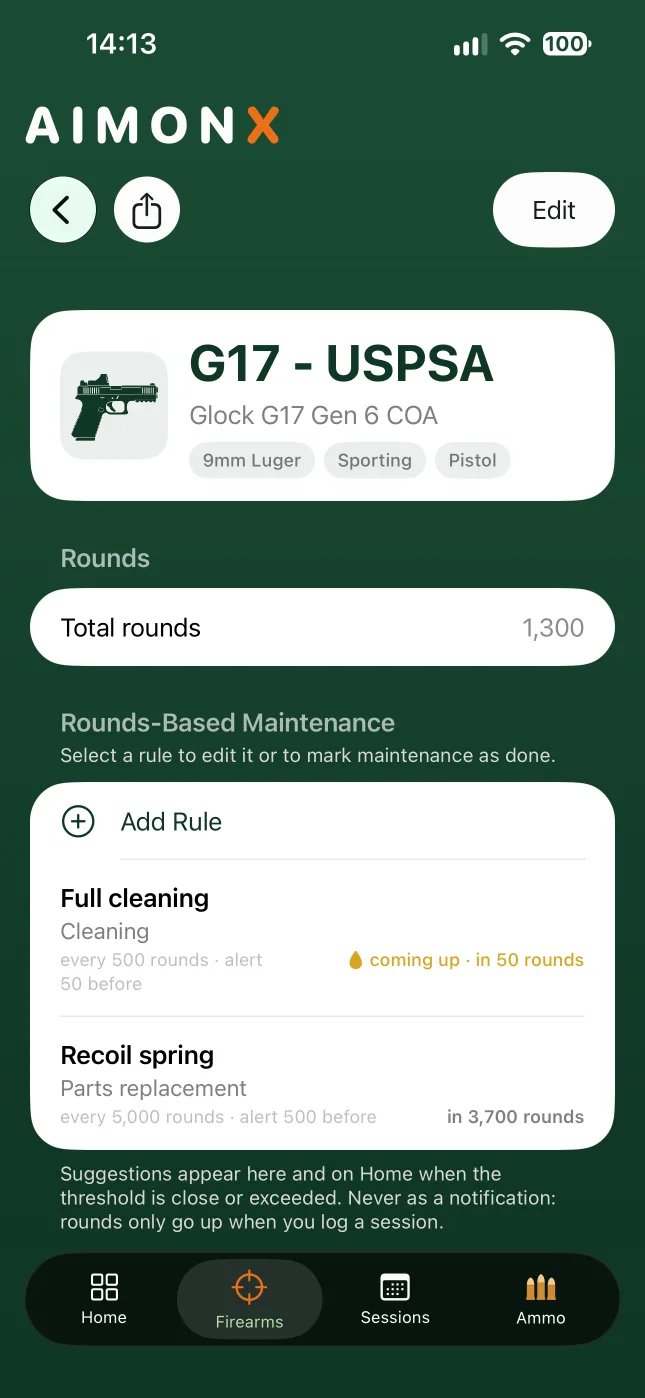
For each firearm, choose what needs doing and how often, in rounds: cleaning, lubrication, a spring change, a check, or anything on your own list. Give each rule a title and, if you like, a few lines on how you do it. AIMONX doesn't tell you how often to clean. You set the rules, from your manual or your own experience.
What's due, at a glance
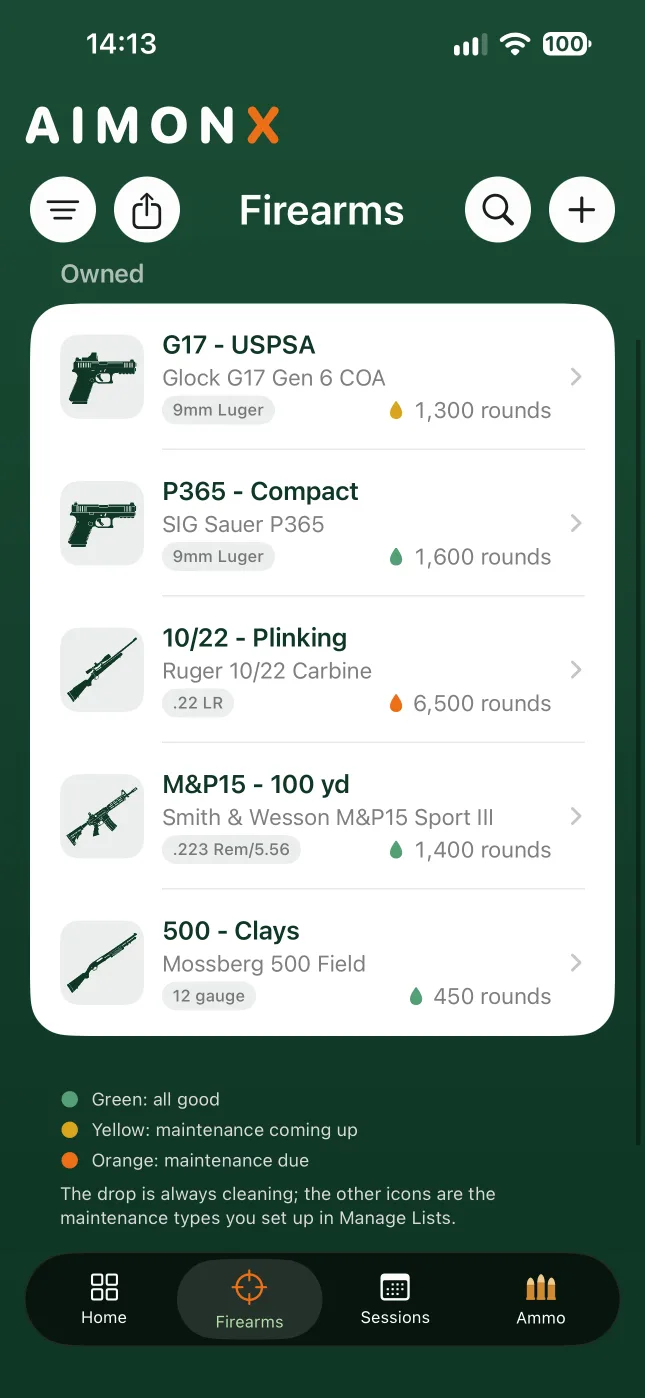
Each firearm shows a color-coded status: green when it's good, yellow when maintenance is coming up, orange when it's due. You'll see it on the firearm, on Home, and right after you save a range session.
Get the heads-up early
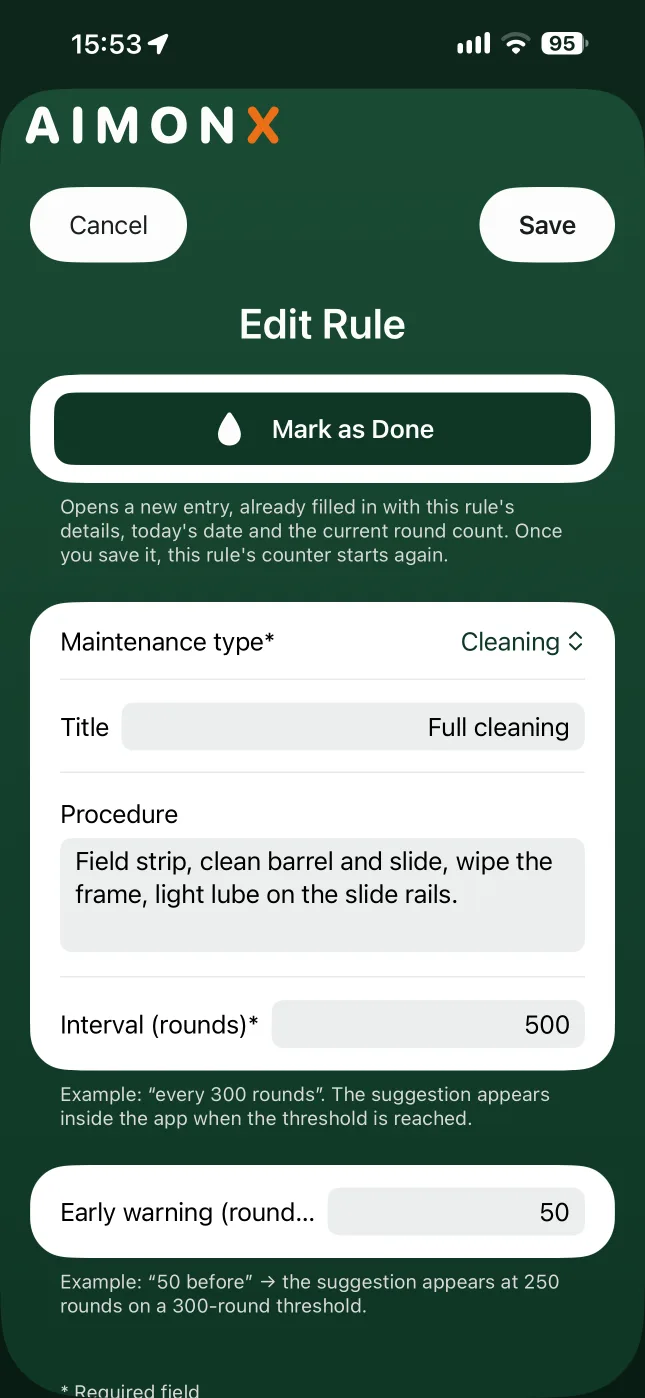
Choose how many rounds ahead you want to know, so you can plan the cleaning instead of getting caught off guard. The early heads-up comes with Pro.
Mark it done, and the count starts over
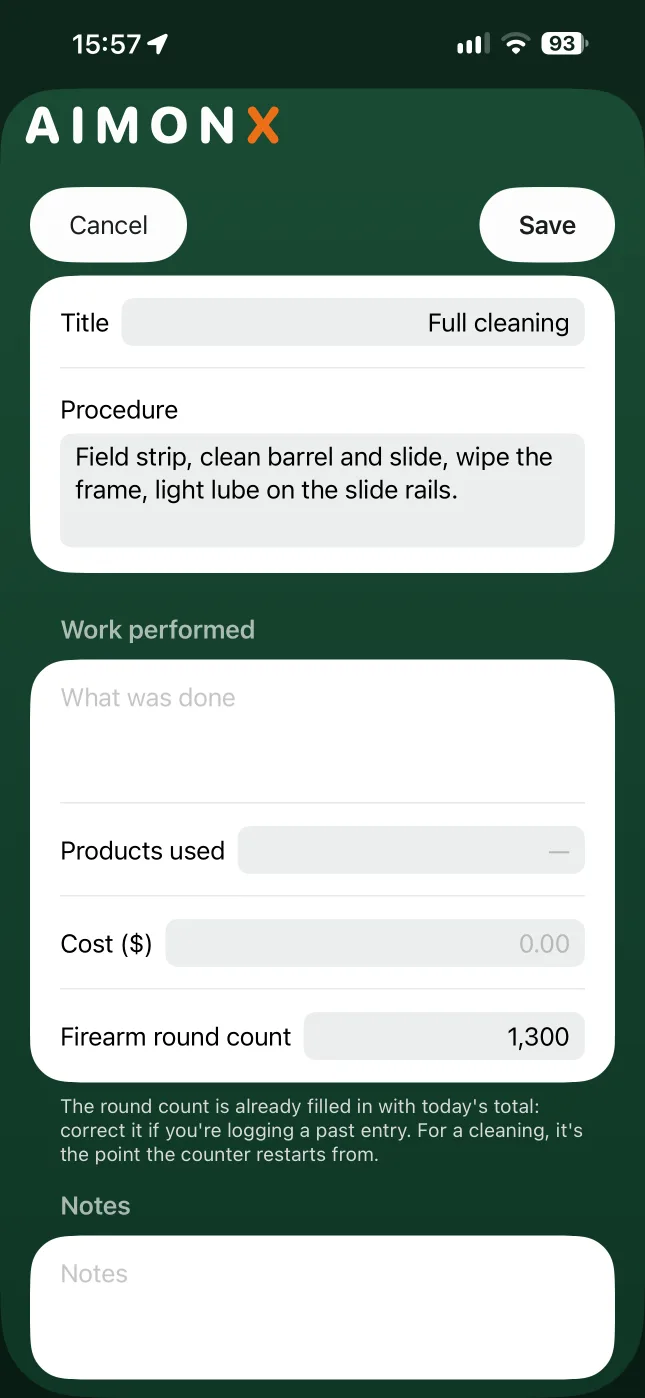
Open a rule and tap Mark as Done. AIMONX fills in the date, the firearm's round count and the rule's details. Fix anything that's off, like the date if you did it two days ago, then save. That rule's counter starts again from there.
Every job in the firearm's log
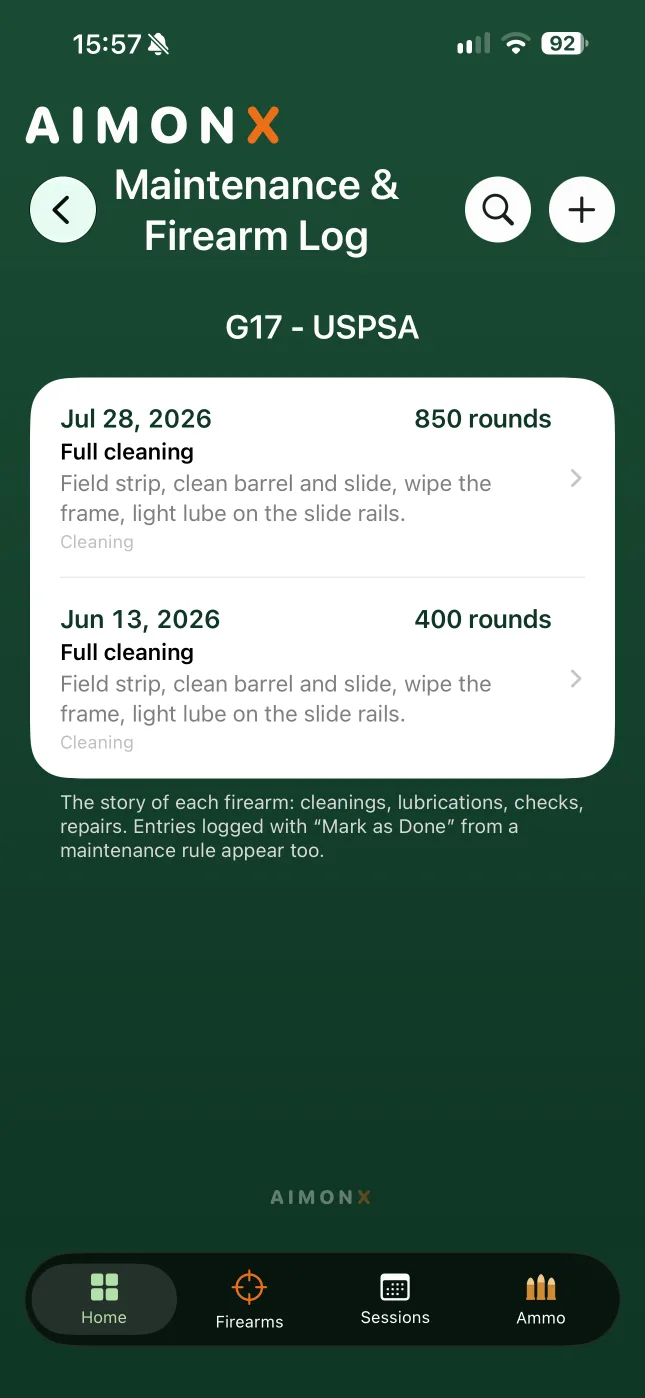
The Maintenance & Firearm Log keeps the story of each firearm: cleanings, lubrications, checks, repairs. Write down what you did, the products you used and what it cost.
No notifications, on purpose
AIMONX never sends you a notification about maintenance. Rounds only go up when you log a session, so that's when AIMONX checks, and it tells you right there in the app.
Bought it used?
Enter the round count it came with, and choose whether those rounds count toward its maintenance.
Free and Pro
Free gives each firearm one cleaning rule, at the round count you choose. Pro adds unlimited rules of every type and the early heads-up.